
Download Windows Live Suite – Productivity, Email, Messaging, Photo Editing, Blogging
Overview
Windows Live Suite, developed by Microsoft, is a comprehensive utility pack designed to streamline daily computing tasks for personal and professional users. The suite integrates a range of tools into a single installation, enhancing interaction with both local systems and online services. Its primary purpose is to simplify workflows related to communication, content creation, and digital organization. Target users include individuals seeking an all-in-one solution for managing emails, maintaining real-time connections, editing and sharing photos, and drafting blog content offline. The suite also includes safety features such as content filtering, making it particularly relevant for family use or environments where digital protection is a priority.
Although Microsoft has not provided detailed information on the developer’s current status or future updates, the suite remains notable for its historical role in the evolution of integrated desktop utilities. It was released on September 23, 2010, and represented a significant effort to consolidate essential tools into a unified platform. Real-world use cases include remote work communication, personal photo management, content creation for bloggers, and safe internet access for younger users. Despite its age, the suite continues to be referenced in discussions about legacy software and productivity tool integration.
Key Features & Functionality
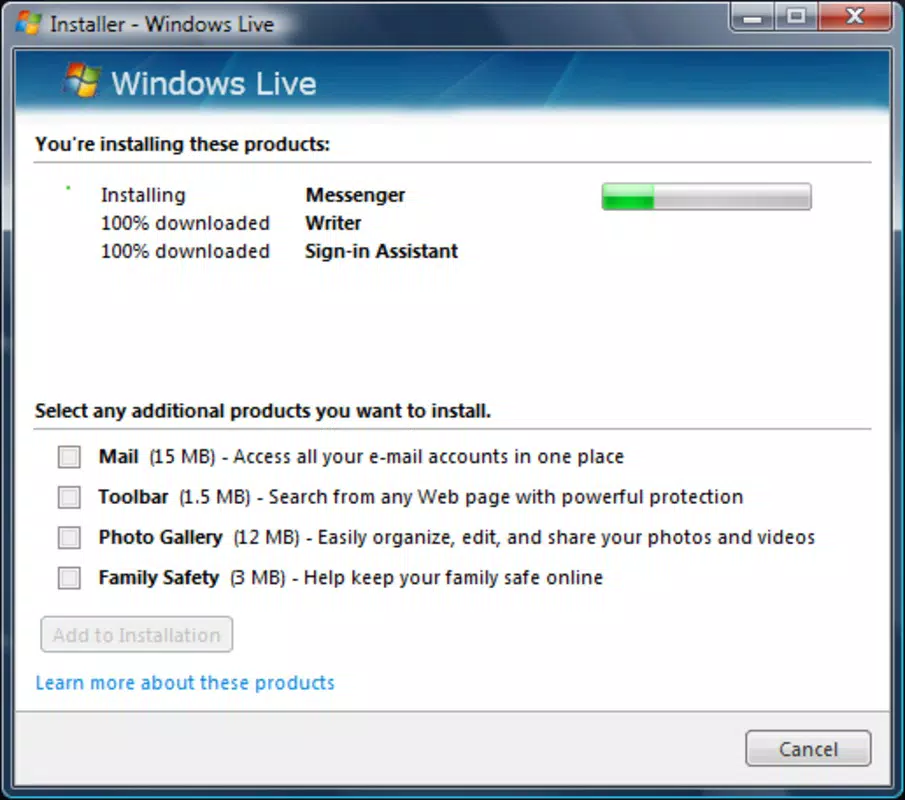
- Comprehensive Email Client: Offers a user-friendly interface for sending, receiving, and organizing messages. Built-in filtering and categorization tools help maintain an efficient inbox, supporting improved productivity for users managing multiple email accounts.
- Instant Messenger Integration: Enables real-time communication with contacts through a simple, accessible interface. The tool supports chat history and contact management, allowing seamless interaction with friends and family.
- Photo and Picture Suite: Provides tools for editing, organizing, and sharing digital images. Users can enhance photos, create albums, and distribute content across platforms with minimal effort.
- Offline Blog Editor: Allows users to draft and manage blog posts without an internet connection. Ideal for content creators who prefer to write in distraction-free environments and publish later, supporting compatibility with multiple blogging platforms.
- Content Filtering Tools: Includes an adult content filter to promote a safer browsing experience. This feature is especially beneficial for households with children or users seeking to limit exposure to inappropriate material.
Each feature is designed to reduce the need for multiple standalone applications, thereby minimizing software clutter and improving workflow efficiency. For example, a freelance writer can use the offline editor to compose articles during travel, then use the email client to submit drafts and the photo suite to include visuals. Similarly, a parent can use the content filter to ensure a safer online experience for their children while using the messaging tool to stay in touch with family members.
Interface, UX & Performance
The user interface of Windows Live Suite is structured around a clean, intuitive layout that prioritizes accessibility. Navigation is organized through a centralized dashboard, allowing users to quickly access each tool without confusion. Visual design elements are consistent across components, contributing to a cohesive user experience. The suite employs straightforward icons and labeled panels, which reduce the learning curve for new users.
Although the developer did not list formal performance metrics, the suite is designed to operate efficiently on systems meeting standard desktop requirements. Responsiveness is generally stable, with minimal lag during routine tasks such as email management or photo editing. Stability may vary depending on the underlying operating system and hardware configuration, particularly on modern systems where compatibility can be limited.
Users should expect a smooth experience when using the suite on supported platforms. However, since the software was released in 2010, performance on newer operating systems may be affected by outdated architecture or missing driver support. No specific requirements were listed, so compatibility should be evaluated on a case-by-case basis.
Platform Compatibility & Technical Requirements
Windows Live Suite is designed for the Windows operating system. The exact version requirements were not specified by the developer, nor were minimum system specifications provided. The file size of the application is not listed in the available data.
Given its release date in 2010, the suite is expected to be compatible with older versions of Windows, such as Windows 7 or earlier. However, support for modern systems like Windows 10 or Windows 11 may be limited or non-existent due to outdated software architecture. Users are advised to verify compatibility before installation. The developer did not disclose whether updates or patches are available.
Pros and Cons
Pros
- Integrated suite reduces the need for multiple standalone applications.
- Offers essential tools for email, messaging, photo editing, and blogging.
- Includes a content filter for safer browsing, particularly useful for families.
- Offline blog editor supports content creation without internet access.
- Designed with a user-friendly interface for ease of use.
Cons
- Released in 2010; may not be compatible with modern operating systems.
- No official updates or support from Microsoft since its release.
- Missing detailed technical specifications and system requirements.
- Performance on newer devices may be unreliable or unstable.
- Limited availability of current documentation or user guides.
FAQ
Is Windows Live Suite still safe to use today?
The suite was released in 2010 and no longer receives official updates. While it may function on older systems, using legacy software poses potential security risks. Users should exercise caution and consider using modern alternatives for enhanced protection.
Can I install Windows Live Suite on Windows 10 or Windows 11?
Compatibility with Windows 10 or Windows 11 is not guaranteed. The developer did not specify minimum OS requirements. Installation may succeed on some systems, but performance and stability cannot be assured.
Is Windows Live Suite free to download?
Yes, the suite was originally distributed at no cost. However, the developer did not provide current download links or distribution channels. Users should obtain it from trusted sources to avoid potential malware.
Does Windows Live Suite support modern email services?
The email client was designed to work with common email platforms available at the time of release. While it may support some modern services, compatibility is not confirmed. Users should test functionality with their specific provider.
Are there any active updates or support for this app?
Microsoft has not released any updates or support for Windows Live Suite since its initial release. The software is considered discontinued, and no official maintenance is ongoing.
Final Thoughts
Windows Live Suite represents a significant milestone in the history of integrated desktop utilities, offering a unified experience across email, messaging, photo editing, and blogging. While its age presents challenges in terms of compatibility and security, it remains a functional tool for users working on legacy systems or seeking a lightweight, all-in-one solution. Its value lies in its simplicity, comprehensive feature set, and historical relevance.
Individuals who rely on older hardware or require offline content creation may find the suite particularly useful. However, for most modern users, newer alternatives offer better performance, security, and integration. Despite its limitations, the suite demonstrates the early vision of unified productivity platforms.
Download Windows Live Suite now


